Introduction
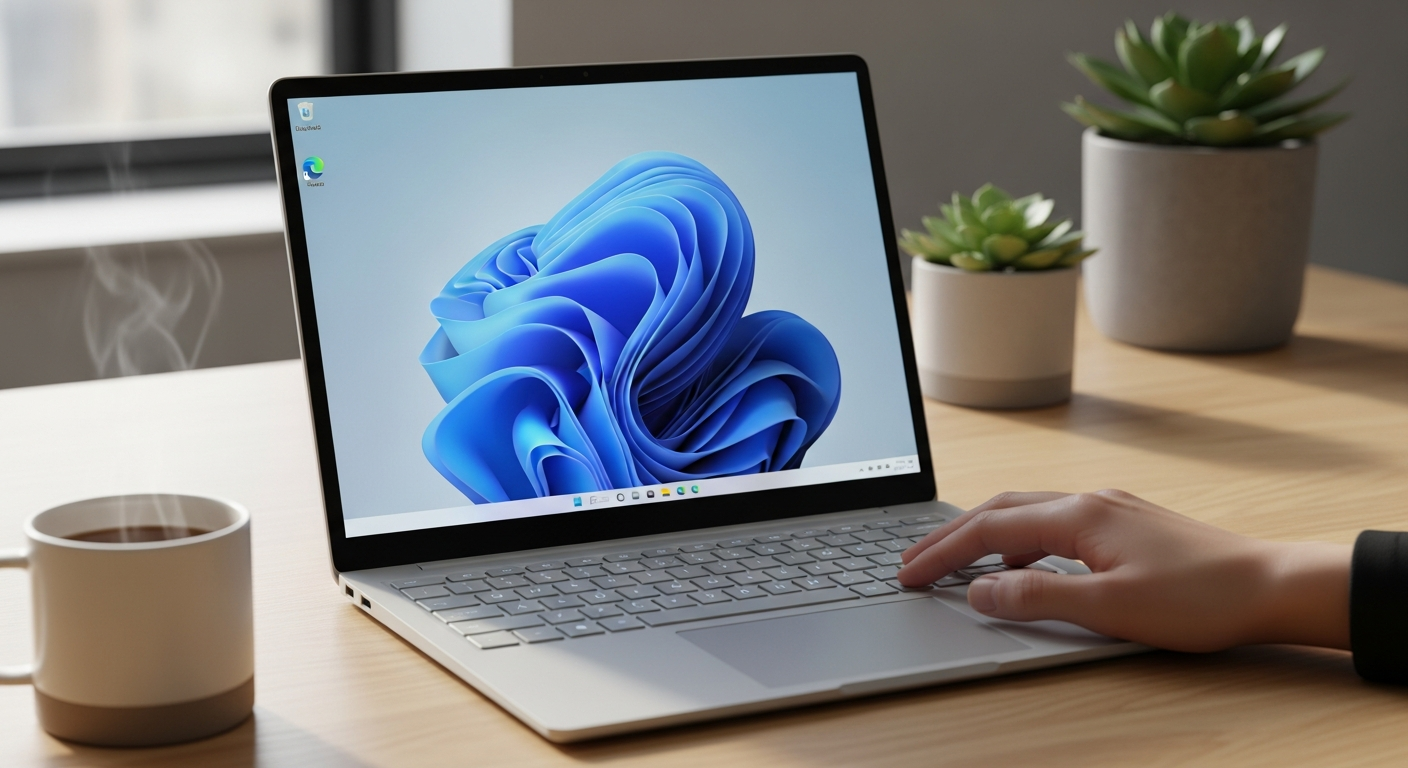
If you’re looking for a laptop that is light, powerful, and easy to use, the Microsoft Surface Laptop 4 might just be what you need. This laptop is popular for its sleek design, strong performance, and long battery life. Whether you want it for school, work, or fun, it fits many needs.
In this guide, we will talk about the Microsoft Surface Laptop 4 reviews, its specifications, what makes it special, and how you can get the best out of it. We will also answer some common questions and share tips on accessories like the best Surface Laptop 4 case and finding the right drivers. Let’s dive in!
Article Contributor
Expert Tech Reviewer at The Maxi. Providing in-depth analysis on the latest computing hardware and software optimizations.
Microsoft Surface Laptop 4 Specifications
| Feature | Details |
|---|---|
| Display | 13.5″ or 15″ PixelSense Touchscreen |
| Processor | Intel Core i5 / i7 (11th Gen) or AMD Ryzen 5/7 |
| RAM | 8GB / 16GB / 32GB |
| Storage | 256GB, 512GB, 1TB SSD |
| Graphics | Intel Iris Xe or AMD Radeon Graphics |
| Battery Life | Up to 19 hours |
| Operating System | Windows 10 Home / Pro |
| Weight | Around 2.79 lbs (1.27 kg) |
| Ports | USB-C, USB-A, headphone jack |
| Release Date | April 2021 |
| Colors | Platinum, Matte Black, Sandstone |
What Is the Microsoft Surface Laptop 4?
The Microsoft Surface Laptop 4 is the latest in Microsoft’s line of lightweight, stylish laptops. It is known for being slim and easy to carry around. You get a clear and bright screen with a smooth touchscreen that works well for both work and play. The laptop comes with powerful processors from Intel or AMD, which means it can handle most tasks without slowing down.
Microsoft Surface Laptop 4 Release Date and Availability
Microsoft released the Surface Laptop 4 in April 2021. Since then, it has been widely available in many stores and online. It quickly gained popularity because of its blend of good looks and strong performance. You can find it in popular electronics shops and on Microsoft’s official website.
Microsoft Surface Laptop 4 Review: What Users Are Saying
Many users say they love how lightweight and fast the laptop is. The keyboard feels nice to type on, and the battery lasts a whole day of normal use. Some reviewers mention the screen is bright and sharp, which is great for watching videos or editing photos. A few say the price is a bit high, but most agree that you get what you pay for.
Key Microsoft Surface Laptop 4 Specifications You Should Know
- Processor: Choose between Intel’s 11th generation Core i5 or i7, or AMD Ryzen 5 or 7.
- Memory: You can get 8GB, 16GB, or 32GB of RAM, depending on how much multitasking you want to do.
- Storage: SSD options range from 256GB to 1TB, giving you fast and ample space for files and programs.
- Display: The 13.5-inch and 15-inch PixelSense touchscreen gives vibrant colors and great clarity.
Microsoft Surface Laptop 4 Specs Compared to Previous Models
Compared to the Surface Laptop 3, the Surface Laptop 4 offers faster processors and better battery life. The keyboard is also improved for a more comfortable typing experience. Plus, the laptop runs quieter and cooler during heavy use, thanks to better cooling technology.
Best Microsoft Surface Laptop 4 Case Options
Protecting your laptop is important. Some popular cases for the Surface Laptop 4 include slim sleeves, hard shell cases, and leather covers. A good case can keep your laptop safe from scratches, drops, and dust while looking stylish. Choose one that fits the size of your Surface Laptop 4 and suits your style.
How to Find and Install Microsoft Surface Laptop 4 Drivers
Drivers help your laptop’s hardware talk to Windows smoothly. Microsoft often releases driver updates to improve performance and fix bugs. To find the latest drivers:
- Visit Microsoft’s official support website.
- Enter your Surface Laptop 4 model.
- Download and install the recommended drivers for things like graphics, audio, and Wi-Fi.
Updating your drivers regularly can keep your laptop running well.
Microsoft Surface Laptop 4 Battery Life: What to Expect
One of the best parts of the Surface Laptop 4 is its battery. You can expect up to 19 hours of use on the 13.5-inch model. This means you can work, watch videos, or browse the web all day without charging. Battery life depends on what apps you use and your screen brightness.
Can the Microsoft Surface Laptop 4 Handle Gaming?
While the Surface Laptop 4 is great for everyday tasks, it’s not designed as a high-end gaming laptop. It can run casual games smoothly, but heavy games might need a more powerful device with a dedicated graphics card. If gaming is your priority, look for a laptop built specifically for that purpose.
Tips for Getting the Most from Your Microsoft Surface Laptop 4
- Use a case to protect your device.
- Keep your drivers updated.
- Adjust screen brightness to save battery.
- Use cloud storage to save space.
- Clean the screen regularly with a soft cloth.
Microsoft Surface Laptop 4 vs Other Laptops in Its Class
When compared to other laptops in the same price range, the Surface Laptop 4 stands out for its premium design and long battery life. It might not have as many ports as some laptops, but it balances portability and performance well.
FAQs About Microsoft Surface Laptop 4
Q1: What is the Microsoft Surface Laptop 4 release date?
A1: It was released in April 2021.
Q2: Does the Surface Laptop 4 come with a touchscreen?
A2: Yes, it has a PixelSense touchscreen display.
Q3: Can I upgrade the RAM or storage later?
A3: No, RAM and storage are fixed and cannot be upgraded after purchase.
Q4: Which processors are available in the Surface Laptop 4?
A4: Intel 11th Gen Core i5 and i7, or AMD Ryzen 5 and 7.
Q5: How do I update the drivers for the Surface Laptop 4?
A5: Visit Microsoft’s support website to download the latest drivers.
Q6: Is the Surface Laptop 4 good for gaming?
A6: It is suitable for casual gaming but not for high-end games.
Conclusion: Is the Microsoft Surface Laptop 4 Worth Buying?
The Microsoft Surface Laptop 4 is a strong choice if you want a light, stylish, and reliable laptop for everyday use. Its great screen, solid battery life, and good performance make it suitable for students, professionals, and casual users alike. If you want a laptop that combines power and portability with a premium feel, this model is worth considering.